OPEN Beta

We're still perfecting our Squarespace to Poshmark integration, sign up now to be a part of the beta!

How to Connect Squarespace to Poshmark: A Complete Guide to Multichannel Integration

Discover a simpler way to sell on Squarespace and Poshmark simultaneously with ExportYourStore, the one-click listing export solution for seamless multichannel selling. Complete with fully customizable rules that enable you to automate everything from pricing adjustments to product attributes, ExportYourStore does more than just integrate your listings - it makes multichannel selling on Squarespace and Poshmark easier than ever. Integrate Squarespace to Poshmark with one click, and start selling on multiple channels today!

Multichannel listings

How to Sync Your Products from Squarespace to Poshmark

With ExportYourStore, syncing products from Squarespace to Poshmark is simple and straightforward. After completing a one-time setup of your Squarespace source store, integrating with Poshmark is just a click away. You'll be able to cross-list your products from Squarespace to Poshmark, link and sync your inventory, and even create custom import rules to determine exactly how products appear on Poshmark. Plus, once you've integrated your Squarespace and Poshmark accounts, you'll have access to an informative integrated dashboard, complete with key stats and info about all your linked accounts. Streamlined cross-listing, custom rules, and one-click export - everything you need for simplified and streamlined multichannel selling.

Step 1
Connect Your Squarespace Store to ExportYourStore
Use our simple and intuitive one-time setup to connect your Squarespace store with our powerful integration app.
Step 2
Select Your Products and Create Automation Rules
Choose products to import from Squarespace, customize smart automation rules, and create custom product sets.
Step 3
Start Selling your Products on Poshmark
Export with AI and let it run! All your selected products will sync automatically to Poshmark, so you can start selling right away.
Squarespace to Poshmark Integration

What Makes ExportYourStore the Best Squarespace to Poshmark AI-Powered Integration Crosslisting App

ExportYourStore is the best marketplace integration app to export your listings from Squarespace into Poshmark because it makes the process of linking your accounts, importing products, and syncing inventory between platforms simple and intuitive. Our intelligent system can handle every aspect of connecting Squarespace to Poshmark - from inventory synchronization to marketplace listing optimization - with just a few simple clicks. Additionally, our smart dashboard will show you a variety of stats and data across your selling channels, so that you can keep tabs on how well each marketplace, item, or category is performing. ExportYourStore makes it easier than ever to migrate your Squarespace store to Poshmark, seamlessly synchronize and manage your inventory across platforms, and reach new customers where they prefer to shop.

Squarespace to Poshmark

ExportYourStore AI Crosslisting Tools

Turn your Squarespace listings into high-performing Poshmark products with powerful AI automation!

Export with AI – auto-fill missing details and list on Poshmark in one click.
Generate SEO-optimized titles and descriptions for Squarespace products tailored to Poshmark.
Automatically fix missing fields and attributes to meet Poshmark’s requirements with one click.
Auto-match product categories between Squarespace and Poshmark to save hours of manual work.
Crosslist faster, expand your reach, and boost your Poshmark sales with AI.
Cross-List from Squarespace to Poshmark & Integrate Your Stores
sell Squarespace products on Poshmark
SIMPLE AND FAST

Integrate Your Squarespace Store with Poshmark with a Single Click

Once you've linked your Squarespace source store, our smart integration app makes it easy to export your products from Squarespace and import them into Poshmark with just one click! You can choose to sync all your items in one go, to sync only certain items, or create custom product sets to import, all with just a few clicks. Simply select the items or product sets from your Squarespace account, then click “Export”. Right away, your selected items will begin importing to Poshmark, with any custom rules you've created applied automatically.

FULLY AUTOMATED

Automatically Sync Products, Prices, and Quantities Between Squarespace and Poshmark

ExportYourStore does more than just connect Squarespace to Poshmark; it fully integrates between your two stores with real-time cross-channel quantity, product, and pricing synchronization. Our app automatically handles quantity and product integration 24/7, so you'll never have to worry about overselling. And with full support for automatically implemented pricing rules for each channel, you won't need to worry about pricing errors either.

check
Automatic inventory synchronization between Squarespace and Poshmark.
check
Custom product set creation for bulk item management in Poshmark.
check
Custom pricing automation rules to tailor Squarespace products prices for Poshmark.
check
One-time setup for your Squarespace store ensures perfect integration with Poshmark.
sell Squarespace products on Poshmark
import products from Squarespace to Poshmark
Rules and Ajustments

Tailor Squarespace Product Data for Poshmark with Custom Automated Rules

Give your Squarespace products a head start on Poshmark with custom optimization rules that enable you to define exactly how your products export from Squarespace to Poshmark. Easily tailor product attributes, set quantity limits for each channel, adjust pricing, map product categories, and even select which products to cross-list, all with automatic rules.

check
Create custom product attribute rules to tailor your Squarespace products for Poshmark.
check
Map products to categories and create category-specific Poshmark import rules.
check
Utilize rules to select which Squarespace products to sync with Poshmark.
check
Employ quantity rules to automatically manage inventory in Poshmark.
Product Sets

Define Custom Product Sets and Apply Set-Specific Rules When Exporting Squarespace Products to Poshmark

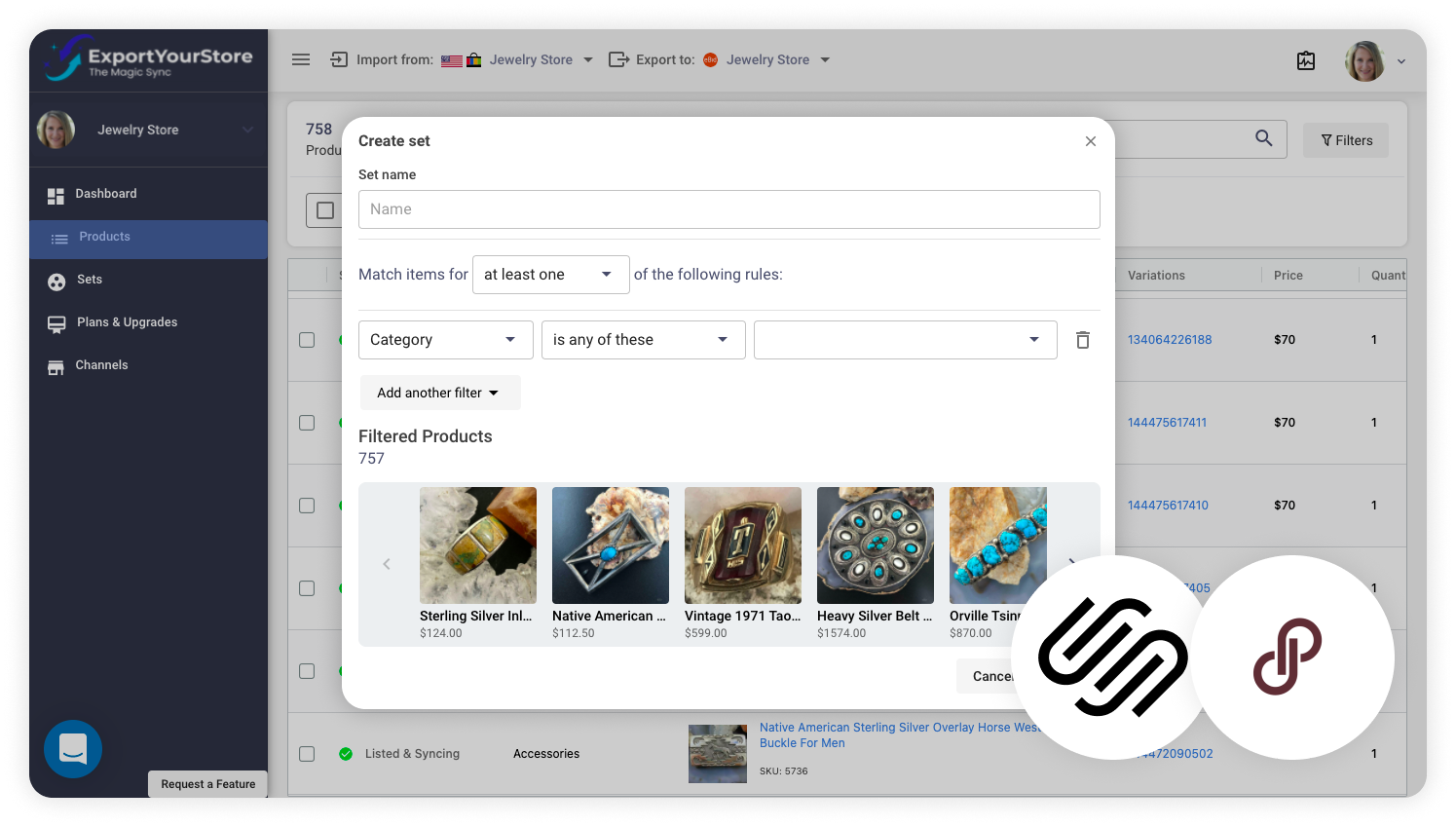
ExportYourStore enables you to select products and arrange them into custom product sets to help you more easily groups and manage products. You'll be able to create product sets from your Squarespace products, then apply rules to these sets when exporting them to Poshmark. Use these rules to adjust pricing, customize product dimension units, modify titles, change item condition, and much more.
Cross-List from Squarespace to Poshmark & Integrate Your Stores
sell Squarespace products on Poshmark
MultiChannel Selling

Easily Integrate Your Squarespace Source Store with Multiple Stores Across a Variety of Channels

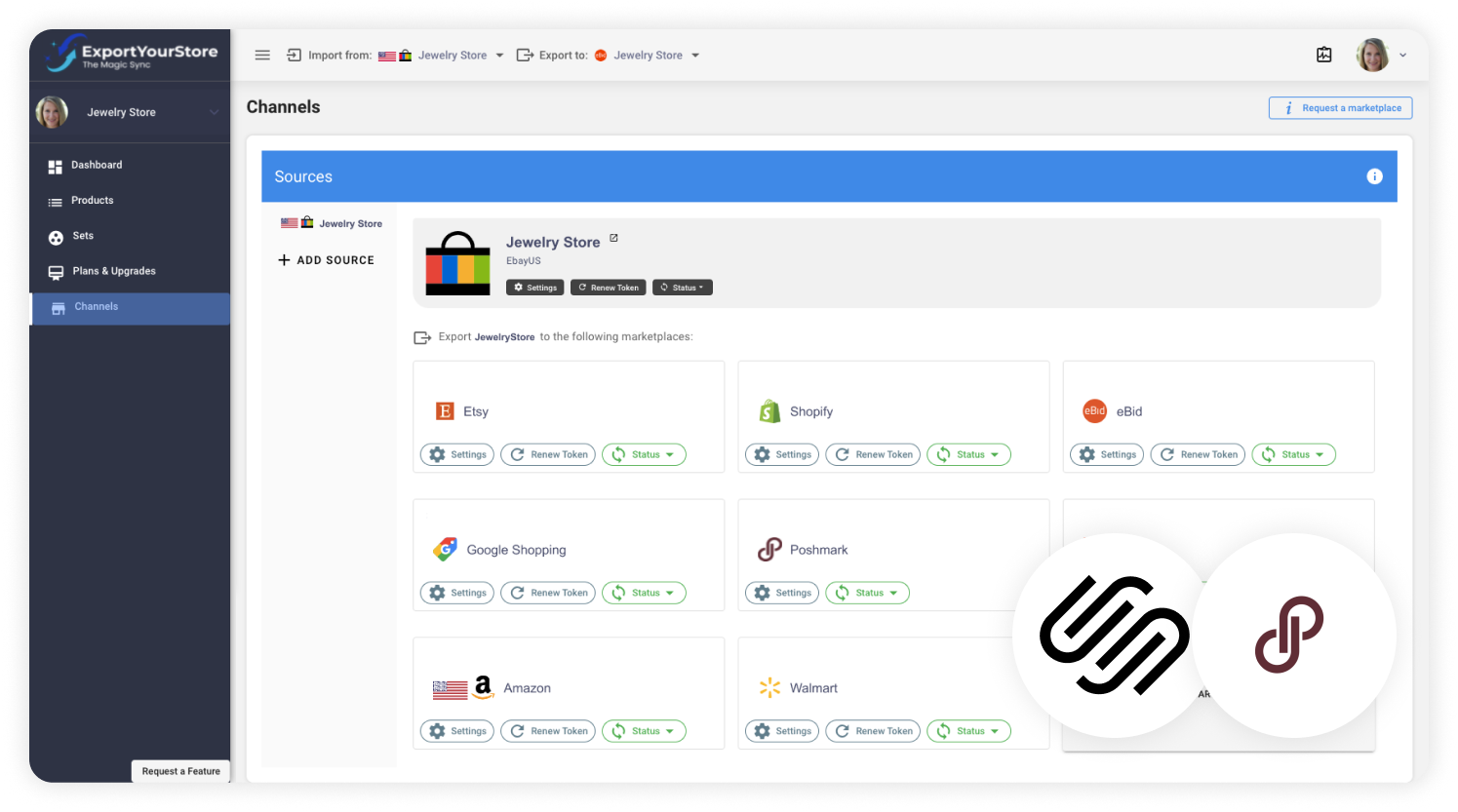
Unleash your Squarespace store's potential and discover the power of multichannel commerce with ExportYourStore. Your Squarespace store can become much more than a single selling channel - it can become the operations hub of your multichannel ecommerce business and integrate with an unlimited number of stores on over 10 ecommerce platforms. You'll be able to manage everything from your source Squarespace store, and ExportYourStore will take care of the rest.

Additional Features
Cross-List from Squarespace to Poshmark & Integrate Your Stores

Why ExportYourStore is the Best Solution for Exporting Your Squarespace Store to Poshmark

ExportYourStore is designed to do more than simply cross-list your Squarespace products to Poshmark; it's an all-in-one solution for daily management of multiple selling channels. Our app enables complete integration between all your linked channels, and gives you the tools you need to manage them all in a way that works for you. With endlessly customizable rules at your fingertips, robust automations, and an informative integrated dashboard, ExportYourStore is the perfect solution for seamless Squarespace to Poshmark integration.

Integrated Dashboard Overview

ExportYourStore brings all your stores’ data and statistics into a beautifully integrated dashboard view. See all your products, revenue reports, live order updates, and more in one straightforward and informative interface.

Full Marketplace Optimization

Squarespace and your linked Poshmark account each have their own unique requirements, which can complicate store integration. ExportYourStore optimizes your Squarespace listings for your linked Poshmark account and ensures a smooth and seamless integration.

Safeguards to Avoid Overselling

With 24/7 inventory updates, our system makes sure that you never sell the same item twice. Once an item is sold on Squarespace, your linked Poshmark account quantity updates; once an item sells on your linked Poshmark account, your source Squarespace store updates.

Advanced Customized Rules

Create powerful and advanced custom rules, so that you can export and manage products from your Squarespace store in a way that works for your linked Poshmark account. Create rules to adjust pricing, product attributes, titles, item condition, and more.

Support for Multiple Stores and Accounts

With ExportYourStore, you’re not limited to just one exported store. You can export your Squarespace store to a single Poshmark account just as easily as you can export it to multiple Poshmark accounts. There’s no limit to where you can sell!

Manage Everything from Your Source Store

Manage your Poshmark store from a place that’s already familiar and intuitive – your Squarespace store. Your Squarespace source store becomes a powerful tool to manage your inventory, both in Poshmark and in all other linked marketplaces and accounts.

Squarespace
Poshmark
Link Squarespace with Poshmark

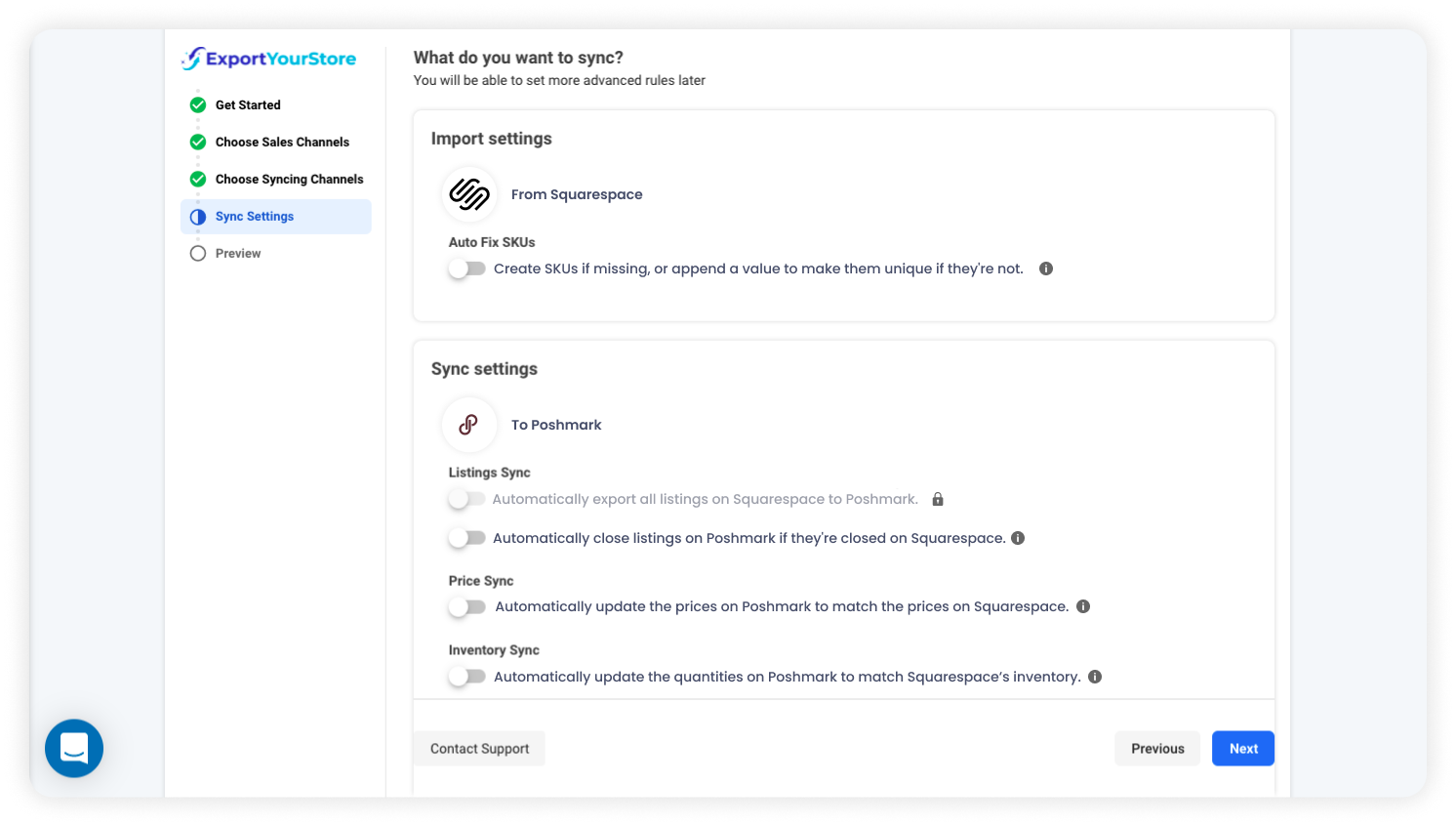
Popular Squarespace to Poshmark Sync Settings

Connect Squarespace to Poshmark in one click!

When a product is sold on your Squarespace source store, its quantity will automatically update in your linked Poshmark account.
When a product is sold on your linked Poshmark account, its quantity will automatically update in your Squarespace source store.
When an item's price is changed on your Squarespace source store, the change will automatically reflect on your linked Poshmark account.
When a new product is created in your Squarespace source store, it will also be created automatically on your linked Poshmark account.
When a listing closes on your Squarespace source store, it will automatically close on your linked Poshmark account.
Sync Squarespace with Poshmark

Why Squarespace Users ❤️ ExportYourStore

ExportYourStore is a one-click marketplace integration platform that's designed to be accessible to all sellers, whether they have just a little tech know-how or a lot. It is the only integration system that already has over 10 of the world's leading marketplaces built-in, with ready-to-sell integration tools right at your fingertips. ExportYourStore lets you link Squarespace to Poshmark with a single click, with zero technical skill and practically no learning curve. Get started now and integrate your Squarespace source store with your linked Poshmark account today!

Easily integrate your Squarespace source store with a new or existing Poshmark account with ExportYourStore's powerful marketplace integration platform.
Customize product data and ensure that product syncing from your Squarespace source store to your linked Poshmark account happens exactly the way you want.
Enjoy ultra-fast support via live chat or email. Our support team of marketplace integration experts is available to offer support and to assist you with any questions or issues.
Grow your eCommerce business, increase sales, and reach more customers by connecting your Squarespace account with 10+ of the world's leading marketplaces.

Trusted by 5,000+ Sellers

Leave a review
facebook logowebretailer logoecommerce bytes logoamazon logotrustpilot logotrustpilot logoFixThePhoto Logo
George
Very professional, I am happy that we are working with you and that I recommended you to our manager. In the future if you have any customers that have any questions, send them to me and I’ll give the best recommendation.
George
trustpilot review exportyourstore
Helped my company to export all item from eBay to Amazon, I have no idea how I can list items on Amazon without their help. They response to my messages in timely manner and always ready to help if there is any problem with listing. Highly recommended!
Kate Nichyparuk
I just wanted to take this chance to tell you how much I appreciate how hard your company has worked to remedy this problem with amazon. I have been reading the correspondence and I appreciate all you have done to figure this out. I commend your company for this and am very impressed. Thanks.
Jon Werner
Just wanted to say thanks today…no questions or issues 😉 We had our biggest day on Amazon yesterday
Deanna
We have been with this company for several years now and ONLY with their assistance have we been able to list our products on Amazon. Their program runs smoothly and easily allowing us to concentrate our focus on our business and customers. Customer Support is fast, effective and have become a vital part of our company. We can highly recommend this service and folks our longevity with the company says it all!
Judy armstrong
man vector
Outstanding service.
Excellent service, very helpfully and polite, always searching for a custom solution if it is not a standard problem. Absolutely recommended, if you need to export your store from eBay to Amazon use only ExportYourStore, don't waste time looking for others!
Marcin kret
man vector
Excellent service, prompt with replies and help support given on 1 to 1 by Yarden. Highly recommended. Great team. Thank you!
Decorate homes

Excellent

TrustPilot